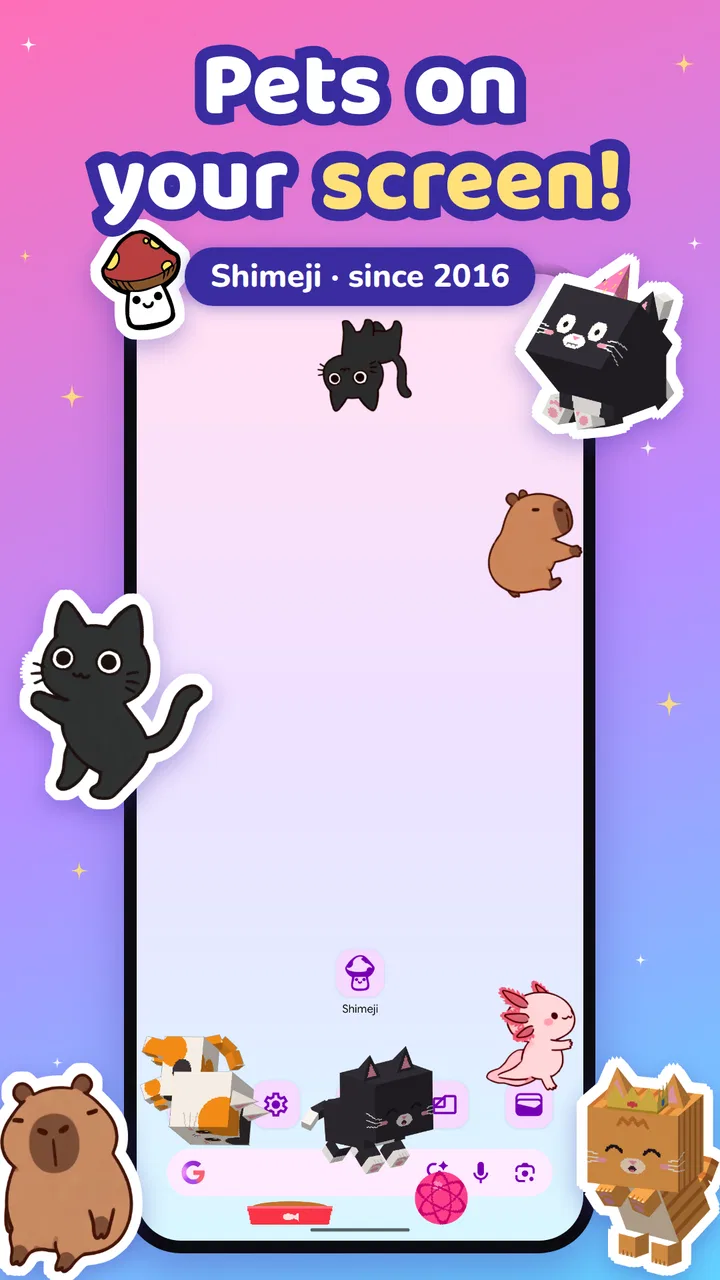
Shimeji: Screen Buddies
- 4.4
- Rating
- 10.00M
- Installs
- Free
- Price

 Analysis by App-foxy
I installed Shimeji: Screen Buddies expecting a small personalization tool, and that is exactly how it feels: a playful layer placed over the screen rather than a replacement for the phone’s normal interface. Little animated companions move around while I use other apps, giving an otherwise static display a bit of personality. The idea is simple, but the experience depends heavily on whether you enjoy visual company or prefer a quiet, uncluttered screen.
Digital Cosmos presents the app as a free Android personalization app for Everyone, and the broad appeal is easy to understand. It is aimed at people who want something more expressive than a wallpaper, without committing to a complete launcher or a complicated customization suite. The app has built a 4.4 average from around 417 thousand ratings, with more than 10 million installs, so this is not an obscure experiment. There is clearly a large audience for animated screen companions.
The first thing I noticed is that the app changes the mood of the device rather than its basic function. My icons, notifications, and regular apps remain where I expect them to be, while the screen pets add movement around them. That makes the starting condition important: if your phone already feels too busy, Shimeji may add distraction instead of charm. If your home screen feels impersonal, it can be a surprisingly effective little upgrade.
You May Also Like

 Blood Strike: 2.5 Anniversary
Blood Strike’s Loadouts Turn Every Drop Into a Tactical Gamble
A close look at Blood Strike’s custom loadouts: how fast access to signature weapons reshapes its battle royale rhythm, rewards preparation, and narrows the gap between fights.

 Pandora - Music & Podcasts
Pandora’s Music Is Easy to Start, but Harder to Recover
Pandora’s strength is its low-effort path from a seed to a station. Its weak spot is how much confidence it asks you to place in connection, setup, and quiet recovery.

 8 Ball Pool
 Is Built on Rivalries, Rematches, and Routine
A close look at the rivalries, rematches, shared routines, and unanswered safety questions that turn a quick pool match into a persistent mobile community.

 Samsung Music
’s Quiet Strength Is Playing What You Already Own
Its reach comes less from spectacle than from dependable access to a personal library. That simplicity is both the app’s strongest retention engine and its ceiling.

 AccuWeather: Weather Radar
AccuWeather Review: A Quick, Clear Forecast for Everyday Decisions
For everyday plans, the best forecast is the one you can understand quickly. AccuWeather makes rain timing, radar, and local conditions easy to act on, with a few trade-offs.

 Hill Climb Racing
Why Hill Climb Racing Still Turns Crashes Into One More Run
A tiny car, a bumpy hill and one more upgrade: Hill Climb Racing keeps resurfacing because its simple chaos makes every near-miss feel personal.
More From Our News Desk



From choosing a companion to living with it
I find the best way to decide whether Shimeji belongs on my phone is to begin with one companion and notice how it behaves alongside my usual habits, not just how it looks in a preview. I’d also treat the first few days as a practical test: does the animation make idle moments nicer, or do I keep wishing the screen were quieter? That choice sets up the next question: how it feels during longer, busier stretches of use.
Beginning with the right expectation
The best way to approach Shimeji is to think of it as a companion layer, not a productivity feature. I would not install it expecting a new way to organize applications, improve battery performance, or replace a wallpaper editor. Its purpose is emotional and visual. The reward is seeing a character climb, play, or wander while I am checking messages, waiting for a page to load, or taking a short break from work.
That distinction also helps answer an immediate question: is it useful if I only want a different background? Probably not. A conventional wallpaper is calmer, consumes no attention once selected, and gives more control over composition. Shimeji is the better choice when the movement itself is the point. The app turns the screen into a small stage, and the pets are performers rather than decoration fixed behind the icons.
Setting up the first screen pet
The initial workflow is straightforward in concept. I open the app, look through the available character choices, and select the companion that best fits the mood I want. This selection matters more than it might seem. A character that looks cute in a preview can become visually tiring if it repeatedly crosses the areas where I read, type, or tap.
I recommend starting with one companion instead of filling the display immediately. A single character makes it easier to judge scale, movement, and how much attention the overlay demands. It also gives a clearer sense of whether the app suits your routine. If the first pet feels pleasant during ordinary phone use, adding more personality later makes sense; if it already feels intrusive, a larger collection will not solve the underlying problem.
The app’s current version is 12.5, and it requires Android 8.0 or later. That makes the compatibility question fairly easy for many Android users, although anyone with an older phone should check the operating system before planning around it. The app is free to install, while in-app purchases range from $1.99 to $28.99 per item. I would treat the free experience as the trial: use it long enough to decide whether the screen activity genuinely improves your day before spending money on extras.
Testing the overlay during normal tasks
My most useful test was not admiring the companion inside the app. It was leaving it active and using the phone normally. I opened a chat, moved through a news page, checked a calendar entry, and returned to the home screen. That is where the real handoff happens: Shimeji has to coexist with the apps I actually use, rather than look appealing in isolation.
In a casual setting, the effect is enjoyable. Waiting for a message to send feels less empty, and a quick glance at the home screen becomes more entertaining. The companion’s movement also gives the phone a more personal identity. This is especially nice on a device shared with no one else, where customization can be based entirely on your taste rather than on practical neutrality.
There is a trade-off, though. A moving object naturally competes with fixed interface elements. When I was trying to read carefully or tap a small control, the pet could pull my eyes away at the wrong moment. Even when it did not block anything important, the movement created a second visual priority. People who are sensitive to animation, use their phone for focused reading, or already keep notifications tightly controlled may find that the novelty becomes friction.
Managing the handoff between apps
The most important part of the workflow is what happens after Shimeji is no longer the app in the foreground. The experience is designed around continuing to see the companion while doing something else, so the app’s value depends on that handoff. I found it works best when I treat the character as background activity: something I can notice, not something I need to monitor.
This makes the app a good match for light, intermittent phone use. Messaging, browsing, music selection, and short pauses are natural places for it. It is less suitable during tasks where every bit of screen attention matters, such as copying information, filling in a form, reading dense documents, or following detailed instructions. In those situations, I would rather pause the visual distraction and return to a clean screen.
A useful personal rule is to separate “fun mode” from “focus mode.” I keep the companion for relaxed periods and remove or reduce the visual presence when I need accuracy. That simple habit prevents the app from becoming annoying. It also preserves the novelty, because a feature that is visible every second can quickly become ordinary.
Finding a practical everyday use
A realistic scenario is a study or work break. I finish a task, unlock my phone, and spend a few minutes checking messages or browsing. Instead of opening a game, I get a small animated character moving across the screen. The interaction is light enough that I can return to work without losing a long stretch of time. In that role, Shimeji feels like a tiny mood reset rather than a major entertainment product.
Another use is personalizing a secondary device. An older Android phone used for casual browsing can feel more inviting with a companion on screen, especially if its owner does not want to replace the launcher. The app also suits younger users who enjoy character-based customization, although the Everyone content rating should not be mistaken for a guarantee that every child will manage purchases or screen distractions independently. An adult should still decide whether the visual activity fits the device’s purpose.
I would skip it on a phone used mainly for navigation, work communication, accessibility-focused interaction, or uninterrupted reading. In those cases, predictability is more valuable than decoration. I would also skip it if you dislike overlays in principle. No amount of character choice changes the central behavior: the screen becomes more active.
Understanding what the app replaces
Compared with a standard wallpaper app, Shimeji offers movement and companionship instead of a static image. Compared with a launcher, it leaves the basic home-screen structure alone, which makes it easier to try without reorganizing the phone. Compared with a game, it asks for much less commitment because its appeal comes from watching and customizing rather than completing objectives.
That middle position is the app’s strongest advantage. I can add personality without learning a new interface, and I can return to my usual apps without rebuilding the device around the customization. The weakness is that it does not offer the same control as a full personalization system. Someone who wants carefully arranged widgets, icon packs, transitions, and a unified visual theme will probably get more value from a launcher or a dedicated customization toolkit.
The choice is therefore less about which option is objectively better and more about the kind of change you want. For a still image, choose a wallpaper. For deep control, choose a launcher. For a small animated presence that follows you across ordinary phone use, Shimeji occupies its own narrow but appealing space.
Where the flow becomes less comfortable
The first point of friction is attention. The pets are meant to be noticed, so the same quality that makes them charming can make them distracting. I would be cautious about using the app during long reading sessions or whenever I am already struggling to concentrate. A screen companion should remain optional background personality, not become another notification demanding a glance.
The second issue is value over time. The initial surprise is strong because the phone suddenly feels alive, but novelty naturally fades. Before buying additional items, I would ask whether I still enjoy the basic presence after several ordinary days. The free entry point makes that decision easier, while the purchase range means it is worth setting a personal limit rather than collecting content automatically.
The third issue is fit with the device itself. A small screen, crowded home layout, or visually dense wallpaper can make the companion harder to appreciate. The pet may have less room to move without crossing useful areas, and the overall result can look messy. A simpler background and a less crowded home screen give the animation more breathing room, so the surrounding setup matters almost as much as the character.
I also would not describe the app as a universal accessibility improvement. Some people may enjoy the extra visual feedback, but others may find continuous animation uncomfortable or tiring. If motion on screen bothers you, the sensible choice is to avoid adding it rather than hoping customization will make it tolerable.
Small decisions that improve the experience
My first practical tip is to test the companion during the exact routine where you expect to use it. A pet that feels delightful on a home screen may be distracting during messaging. Testing across several apps reveals whether the idea fits your habits instead of only your first impression.
Second, keep the surrounding screen simple. A restrained wallpaper and fewer visual elements make the character easier to enjoy and reduce the feeling that everything is competing for attention. This is a non-obvious advantage of Shimeji: it can encourage a cleaner home screen because the companion already supplies the personality.
Third, use it as a deliberate break cue. Rather than leaving it active constantly, turn it on when you want a lighter phone experience and turn it off when you need concentration. That workflow makes the app feel like a small ritual and protects it from becoming background clutter.
Finally, consider purchases as a commitment to a style, not as a requirement for basic personalization. Since the app is free and the paid items can cost from $1.99 to $28.99 each, I would only buy after identifying a character or theme I expect to keep using. The right question is not whether more options exist, but whether one particular option improves the way you use the phone.
My result after using it
The outcome is a phone that feels more playful without becoming a completely different device. I like that the app does not ask me to abandon familiar navigation. The companion adds a little life during idle moments, and that is enough to make the experience worthwhile for the right person.
At the same time, the result is not a productivity gain, and I would not pretend it is. The app succeeds through atmosphere, not utility. Its best moments are brief: noticing a character while waiting, smiling at movement on the home screen, or giving a personal device a more distinctive feel. If those moments sound valuable to you, the free version provides a sensible way to try the concept.
Digital Cosmos has kept the idea focused, and the large install base shows why it connects with many Android users. Still, popularity does not remove the need to judge the fit for yourself. The app’s Everyone rating makes it broadly approachable, but the practical question is whether animated screen activity belongs in your daily workflow.
My recommendation is simple: install it if you want a lighthearted companion that can share the screen while you move between ordinary tasks. Start with one character, test it during both relaxed and focused use, and keep purchases optional until the novelty proves durable. If you want a silent background, a highly organized launcher, or a distraction-free work device, choose the usual alternative instead. For me, Shimeji works best as an occasional layer of personality—small, amusing, and easy to leave behind when the screen needs to get out of the way.
FAQs for Shimeji: Screen Buddies
01What is Shimeji: Screen Buddies?
Shimeji: Screen Buddies is a fun and interactive app that allows you to have animated characters roam your screen. These characters, known as Shimejis, can interact with your device's interface, providing a unique and playful experience. They can climb, jump, and play around, adding a lively element to your phone or tablet.
02How do I customize my Shimeji characters?
Customization in Shimeji: Screen Buddies is straightforward. Once you download the app, you can choose from a wide range of characters. You can adjust their behavior, size, and even the number of Shimejis on your screen. The app provides options to tweak animations and customize interactions to suit your preferences.
03Does Shimeji: Screen Buddies affect device performance?
While Shimeji: Screen Buddies is designed to be lightweight, having multiple animated characters on screen can consume some processing power and battery life. It's advisable to monitor your device’s performance and adjust the number of active Shimejis if you notice any lag or increased battery usage.
04Is Shimeji: Screen Buddies safe for all ages?
Yes, Shimeji: Screen Buddies is generally safe for all age groups. The characters are designed to be family-friendly and do not contain inappropriate content. However, parental guidance is recommended for younger children, especially regarding in-app purchases or ads that may appear.
05Can I use Shimeji: Screen Buddies on both Android and iOS devices?
Shimeji: Screen Buddies is available for both Android and iOS platforms. You can download it from the Google Play Store or the Apple App Store. Ensure your device meets the app’s system requirements for optimal performance and access to the latest features.
Pros
- Cute and interactive virtual companions.
- Customizable characters and animations.
- Enhances phone's visual appeal.
- Light on system resources.
- Regular updates with new features.
Cons
- Can be distracting during work.
- Limited character options in free version.
- Requires internet for full functionality.
- Occasional bugs with animations.
- Battery usage may increase slightly.

Shimeji: Screen Buddies
Gallery